TechOdos Restaurant Platform

Ordering, bookings and service — in one place.

A branded ordering and reservation website for your guests, and a complete admin dashboard for your team. Built for restaurants, cafés, buffets and multi-branch brands.

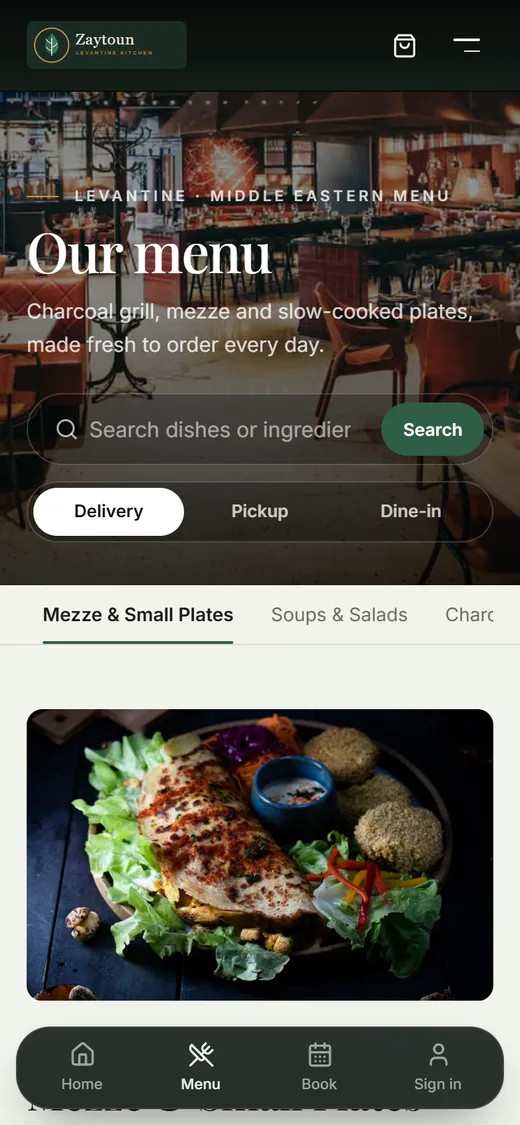
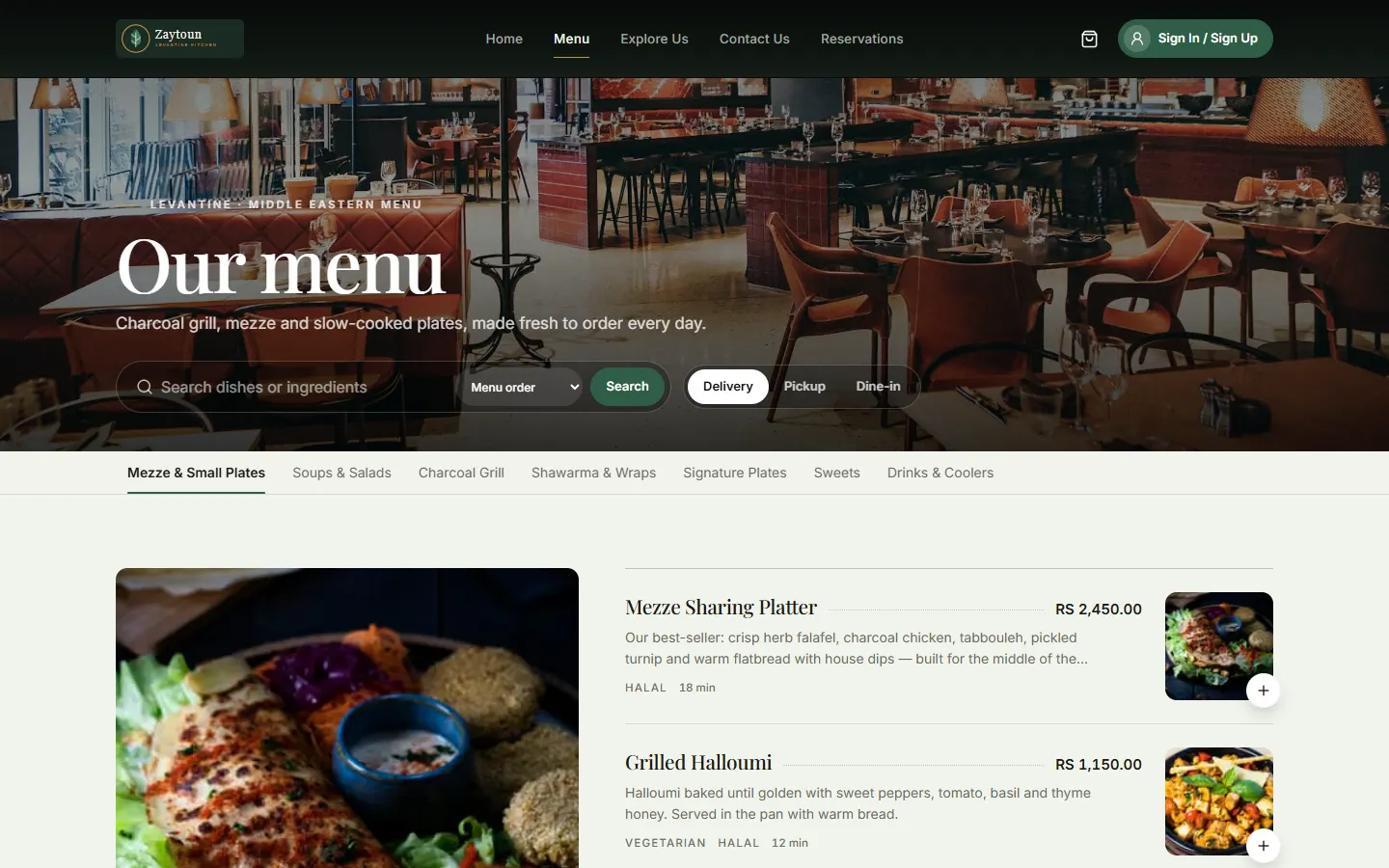
Online menu with search, delivery, pickup and dine-in switch, and dishes with prices and dietary tags
Product tour

Take a look around.

Click through the screens your guests and your team use every day.

A restaurant website guests actually enjoy using

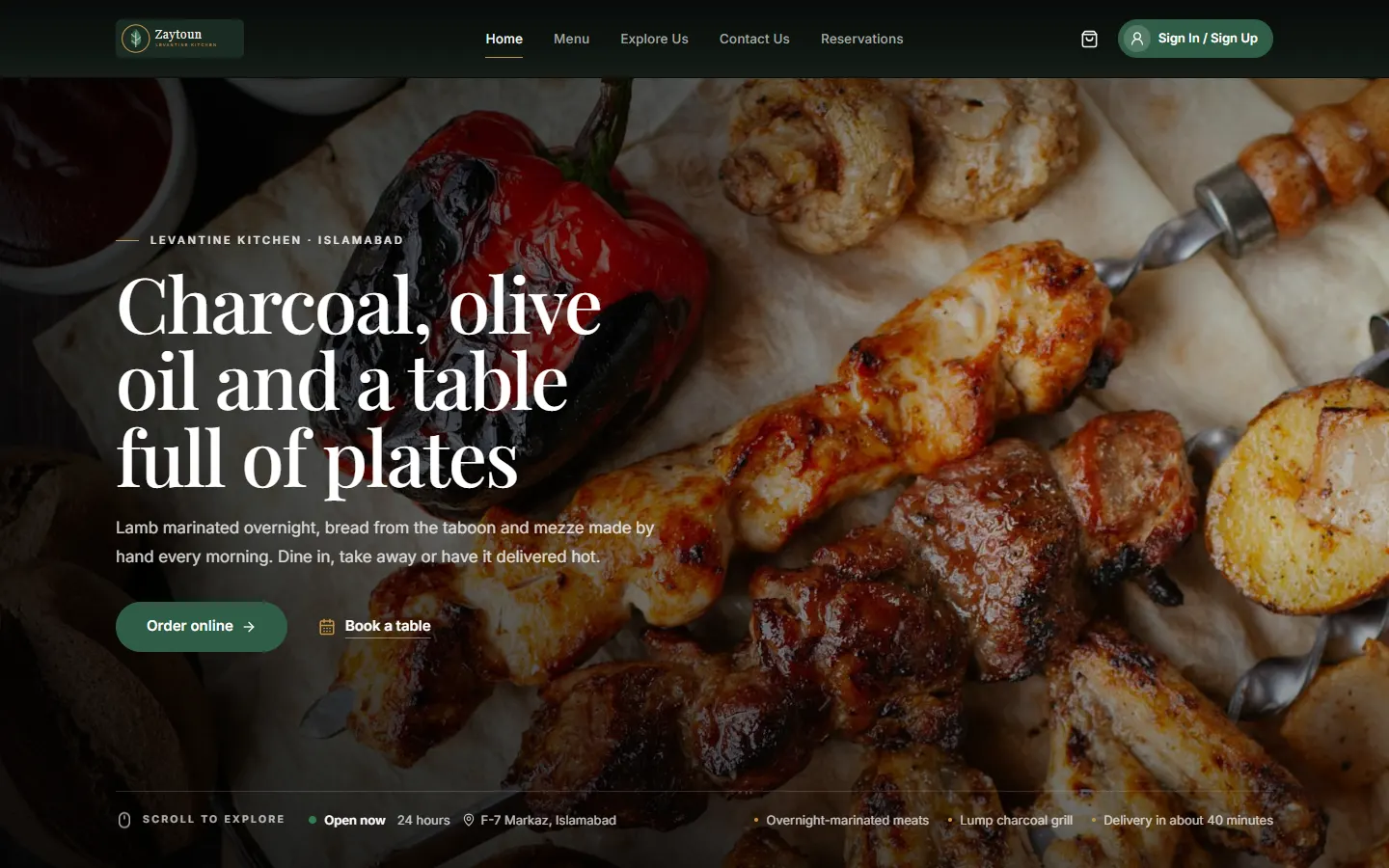
Your brand, your photography and clear calls to action — order online or book a table from the first screen.

  • Branded home, menu, about and contact pages
  • Opening hours and branch information
  • Designed for phones first
Restaurant website home page built on the TechOdos Restaurant Platform, with Order online and Book a table actions

Real product screens, shown with one of our demo restaurants and sample data.

Features

Everything a modern restaurant needs online.

Each capability below is part of the platform today.

For your guests

A fast, branded website where diners order, book and follow their food — on any phone, no app to install.

Your own branded website

Look like a premium restaurant brand from day one, not a listing on someone else's marketplace.

  • Your colours, fonts and photography
  • Home, menu, about, gallery, locations and contact pages
  • Search-friendly pages and structured data
Online ordering

Take delivery, pickup and dine-in orders directly, with prices always calculated on the server.

  • Variants, add-ons, dietary tags and spice levels
  • Sold-out and availability handling
  • Guest checkout — no forced sign-up

Live order tracking

Fewer “where is my order?” calls: guests watch every status change the moment it happens.

  • Real-time status timeline
  • Current orders and order history
  • One-tap reorder

Table reservations

Fill tables without phone tag. Guests pick a branch, date, party size and an available time slot.

  • Slot availability per branch
  • Confirmation code on booking
  • Request-received and confirmed emails

Email & push notifications

Keep guests informed automatically, from confirmation to “out for delivery” to “rate your order”.

  • Confirmation and thank-you emails
  • Web push for status changes
  • Switch each channel on or off per restaurant

Customer accounts

Returning guests check out faster and you build a real customer base you own.

  • Email & password or Google sign-in
  • Email verification
  • Saved delivery addresses
For your team

One admin dashboard for the counter, the kitchen and the office — permission-based for every role.

Service dashboard

See the whole pass at a glance: what's pending, preparing, ready and out for delivery.

  • Live status counts
  • Latest orders and upcoming bookings
  • Sound alerts for new orders

Kitchen view

Clear, self-refreshing tickets so the kitchen moves orders forward in one tap.

  • Active tickets with items and options
  • Order type and elapsed time
  • Status updates notify the guest automatically

Menu management

Update dishes, prices and photos yourself — changes appear on your website straight away.

  • Categories, items, variants and add-on groups
  • Availability and dietary information
  • Image management

Buffet packages

Sell per-head buffet packages alongside — or instead of — your à la carte menu.

  • Per-person pricing
  • Dine-in only, enforced at checkout
  • À la carte can be switched off entirely

Staff & roles

Give owners, admins, managers and kitchen staff exactly the access they need.

  • Role-based permissions
  • Add, edit, disable or remove staff
  • Safeguards for the owner account

Reviews & reputation

Collect reviews from real orders and bookings, moderate them and reply publicly.

  • Approve, reject and feature reviews
  • Public replies
  • Rating summary on your website
For your business

The commercial controls that turn a website into a revenue channel.

Flexible payments

Accept the way your guests prefer to pay, with the right methods offered for each order type.

  • Cash on delivery, cash or card at the counter
  • Bank transfer
  • Online card payments (Stripe) and JazzCash mobile wallet

Coupons & promotions

Run targeted promotions without losing control of margins.

  • Minimum order, dates and order-type rules
  • Usage limits per customer
  • Codes restricted to specific customers

Branches & delivery zones

Serve several locations with the right fees, and route each delivery to the nearest branch.

  • Multiple branches with their own hours
  • Delivery zones with fees
  • Map-based address picker

Tax & service fees

Charge correctly every time, with separate rules for delivery, pickup and dine-in.

  • Configurable sales tax
  • Per-order-type service fees
  • Receipt settings

Sales reports

Know what you sold, how guests paid and how the trend is moving — without spreadsheets.

  • Sales, orders and average order value
  • Daily trend and payment breakdown
  • Export to CSV, Excel and PDF

Secure by design

Each restaurant's data is isolated at the database level, and sensitive logic never runs in the browser.

  • Database row-level security
  • Server-side pricing and validation
  • Role-gated admin actions
Phone-first

Most guests order from a phone. We designed for that.

Thumb-friendly navigation, a bottom tab bar, fast pages and a checkout without forced sign-up. No app store, no download — just your link.

  • Works in any modern browserOn iPhone, Android, tablets and desktop.
  • Web push on supported devicesOrder updates even after the tab is closed.
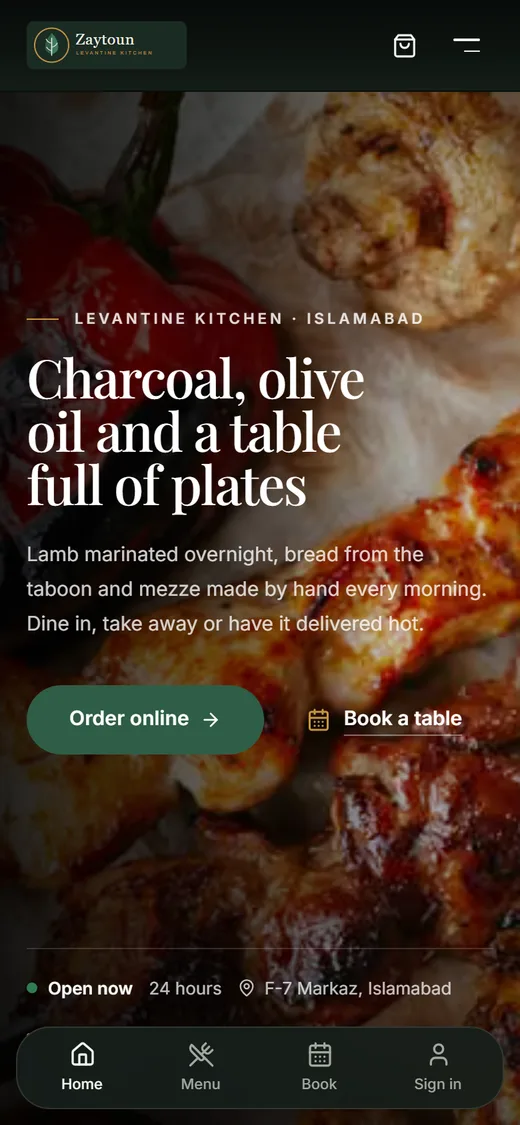
Restaurant website on a phone with bottom navigation for home, menu, booking and sign-in
Mobile menu with search and delivery, pickup and dine-in options
Order lifecycle

Every order, handled end to end.

  1. Browse

    Guest opens your branded site and picks dishes, sizes and add-ons.

  2. Order

    Delivery, pickup or dine-in — paid online, by card or in cash.

  3. Cook

    The order lands on the dashboard and kitchen view with a sound alert.

  4. Track

    Every status change reaches the guest live, by push and by email.

  5. Review

    After completion the guest is invited to rate the order.

Pricing

Choose a starting point.

Every plan is quoted for your restaurant after a free demo.

Starter

Go online with your own ordering website.

Custom pricing

Best for: Single-location restaurants and cafés

Includes:

  • Branded restaurant website
  • Online menu with variants & add-ons
  • Delivery, pickup and dine-in ordering
  • Guest checkout
  • Live order tracking for guests
  • Admin dashboard, orders & kitchen view
  • Menu management
  • Email order notifications
Book a free demo
Most popular choice

Growth

Bring guests back and fill more tables.

Custom pricing

Best for: Busy restaurants growing direct sales

Everything in Starter, plus:

  • Table reservations with time slots
  • Customer accounts & Google sign-in
  • Web push notifications
  • Coupons & targeted promotions
  • Reviews with moderation & replies
  • Sales reports with CSV, Excel & PDF export
  • Tax and service-fee rules
Book a free demo

Business

Run several branches from one place.

Custom pricing

Best for: Multi-branch brands, buffets and groups

Everything in Growth, plus:

  • Multiple branches & delivery zones
  • Map-based delivery address & nearest branch
  • Online card & mobile wallet payments
  • Buffet packages (per-head pricing)
  • Staff roles & permissions
  • Customer insights & order history
  • Guided onboarding and menu setup
Book a free demo

Every restaurant is different, so we quote after a short demo — based on branches, the features you need and the setup help you want.

FAQ

Good questions, straight answers.

Do my guests need to download an app?

No. Your restaurant gets its own website that works in any modern browser and is designed for phones first. Guests can order as a guest or create an account for faster checkout and order history.

Can the website match our brand?

Yes. Colours, fonts, photography, page content and your menu all come from your own settings, so the site looks like your restaurant — not a marketplace listing.

Which order types and payment methods are supported?

Delivery, pickup and dine-in. Payment methods include cash on delivery, cash or card at the restaurant, bank transfer, online card payments through Stripe and the JazzCash mobile wallet. You choose which ones to offer, and only the ones that make sense for each order type are shown.

Does it work for buffets and multi-branch restaurants?

Yes. You can sell per-head buffet packages (dine-in only), switch off the à la carte menu if you only run a buffet, and manage several branches with their own delivery zones and fees.

How is pricing worked out?

We quote per restaurant after a free demo. The price depends on the plan, the number of branches and how much setup help you want, such as importing your menu.

What happens after I request a demo?

Your request opens in your email app, ready to send. Once we receive it, we reply by email to agree a time that suits you. Nothing is booked automatically.

See it running for your restaurant.

Book a free, no-obligation demo. We'll walk you through the ordering website, the kitchen view and the admin dashboard, and answer every question about setup and pricing.